Category

Email Marketing

Playable

Playable's Integration with Mailchimp

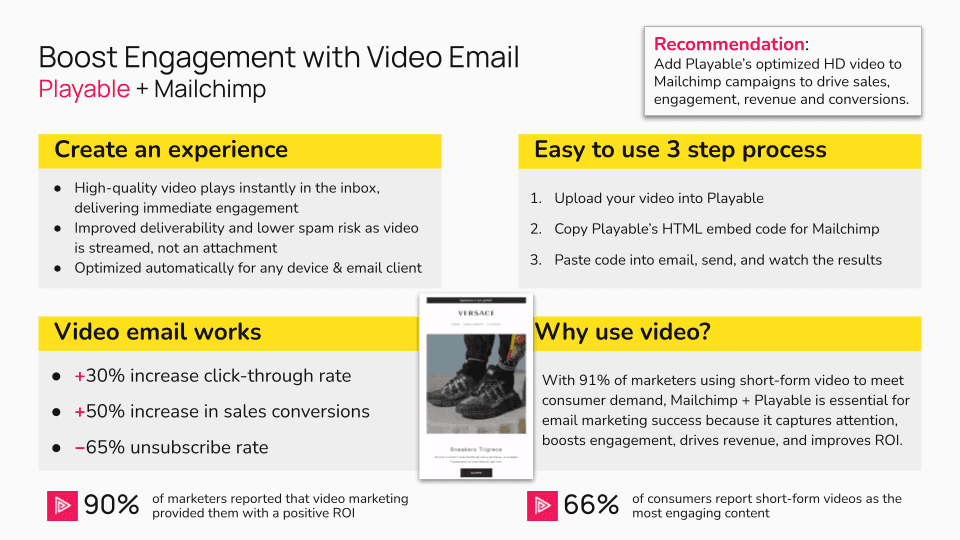
Playable enables high-quality, instant-play video in Mailchimp email campaigns. Brands can add video to Mailchimp emails without coding, or technical setup. Over 13 million customers use Mailchimp globally for their email marketing, supported by robust documentation and resources that help businesses explore solutions that evolve with their brand's needs.

Playable enables high-quality, instant-play video in Mailchimp email campaigns without coding or technical setup. With over 13 million global users, Mailchimp supports growing brands with powerful email tools.


Upload, edit, and deploy video directly into Mailchimp campaigns from the Playable platform.

What can you do with Playable and Mailchimp?

Add instant-play video to Mailchimp email campaigns

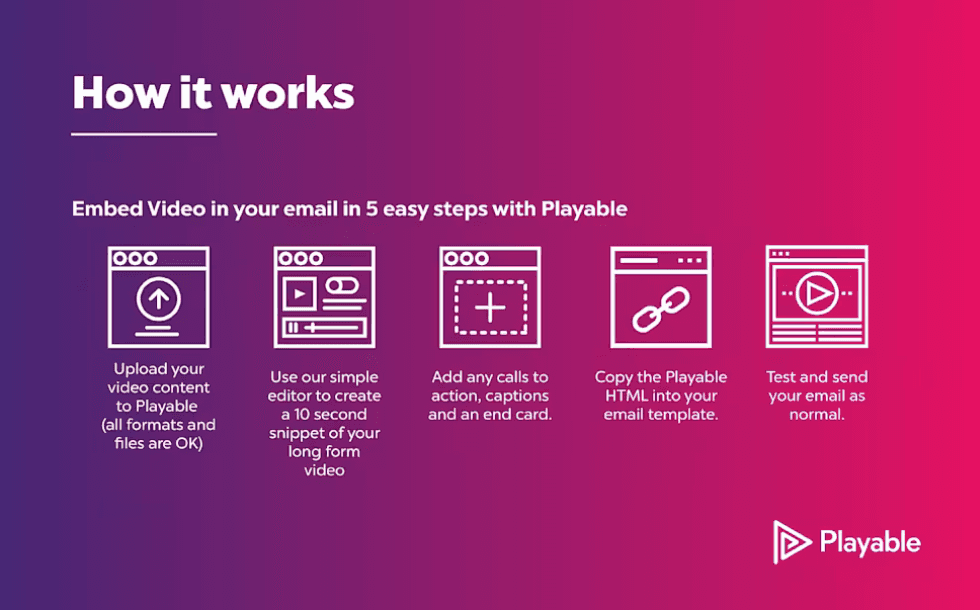
Playable embeds high-quality, instant-play video directly into Mailchimp emails, requiring no coding or technical effort. Upload or select any video asset, edit short clips with captions and CTAs, and insert using the Playable app or Mailchimp Marketplace. Turn plain emails into dynamic experiences that capture attention instantly when opened to drive action.

Embed high-quality, instant-play video directly into Mailchimp emails with no coding required. Upload or select video, edit with captions and CTAs, and insert using the Playable app or Mailchimp Marketplace.

Deliver reliable, high-quality video in nearly every inbox

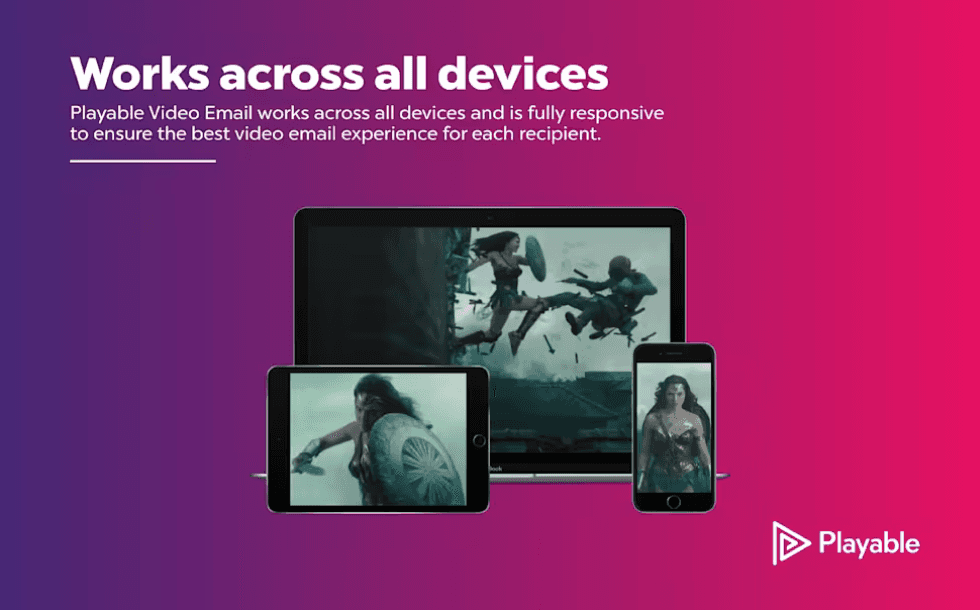
Playable automatically optimizes video formats, providing smooth, high-definition instant play with auto-play opened in 98%+ of email clients and devices (Gmail, Outlook, Apple Mail, Yahoo, etc.). For the small percentage of unsupported clients (e.g., older desktop Outlook), a custom static fallback image with CTA appears, ensuring consistent delivery of the brand message.

Playable automatically optimizes video for smooth, HD instant play in 98%+ of email clients. For unsupported clients, a custom static fallback image ensures delivery.

Repurpose your social videos for email and extend what’s already working

Video performs well in social channels to help brands build awareness and capture attention. However, email plays a different role, operating in a more personal, high-intent environment where audiences are already opted in.


Repurposing existing social video for email helps bridge these channels, extending the value of content. Playable easily edits and optimizes existing social video for for instant-play in email. This extends the value of content in the inbox and supports a consistent cross-channel experience.

Reuse high-performing social video in email to create a consistent cross-channel experience. Playable makes it easy to edit and optimize existing video content for instant-play in the inbox.

Measure video impact with engagement and performance insights

Playable tracks plays, watch time, interactions, and attributed conversions, data tied to Mailchimp campaigns and reports. These metrics highlight which videos resonate most, help refine email strategies and automations, and show video's contribution to higher open rates, clicks, subscriber engagement, and overall campaign results.

Track plays, watch time, interactions, and conversions tied to Mailchimp campaigns. Use insights to refine strategy and demonstrate video’s impact on opens, clicks, and revenue.

Deploy video-enhanced emails and automations quickly

The Playable integration with Mailchimp supports fast upload, editing, and rollout of video-first emails, no custom development or complex setup. Integrate Playable through the Mailchimp marketplace app to embed videos into templates or content blocks, launching campaigns quickly with real-time optimization and in-built reporting.

Upload, edit, and launch video-rich campaigns fast with no complex setup required. Connect via the Mailchimp Marketplace, embed videos into templates, and scale with built-in reporting and optimization.

Getting Started.

Step-by-Step Guide.

01.
Upload

Upload a video to the Playable console.

01.
Upload

Upload a video to the Playable console.

01.
Upload

Upload a video to the Playable console.

02.
Embed

Select Embed and copy the video HTML snippet.

02.
Embed

Select Embed and copy the video HTML snippet.

02.
Embed

Select Embed and copy the video HTML snippet.

03.
Log in

Log in to your Mailchimp account.

03.
Log in

Log in to your Mailchimp account.

03.
Log in

Log in to your Mailchimp account.

04.
Open

Open email and drag-and-drop an HTML block

04.
Open

Open email and drag-and-drop an HTML block

04.
Open

Open email and drag-and-drop an HTML block

05.
Paste

Paste the saved Playable snippet code.

05.
Paste

Paste the saved Playable snippet code.

05.
Paste

Paste the saved Playable snippet code.

06.
Instant-play

Video plays instantly for email and devices.

06.
Instant-play

Video plays instantly for email and devices.

06.
Instant-play

Video plays instantly for email and devices.