
Playable's Partnership with Benchmark Email

Playable makes it easy to add high-quality, instant-play video directly into Benchmark email campaigns. Marketers can create and launch video emails in minutes, with no coding, design, or technical setup required, and deliver richer, more engaging experiences that drive higher-propensity buyers from inbox to website. Brands using Playable typically see up to a 30% increase in engagement and revenue by using video instead of static images or GIFs.

The Playable + Braze integration enables high-quality, instant-play video across email, push notifications, in-app messaging, SMS, WhatsApp, and live streaming.


A single video delivery system simplifies video across Braze workflows, allowing marketers to upload, edit, and launch video directly within Braze while reducing the asset creation, testing, and optimization effort usually required to deliver consistent video experiences across channels, networks, and devices.

What can you do with Playable and Benchmark Email?

Add instant-play video to Benchmark Email

Add instant-play video to Braze campaigns

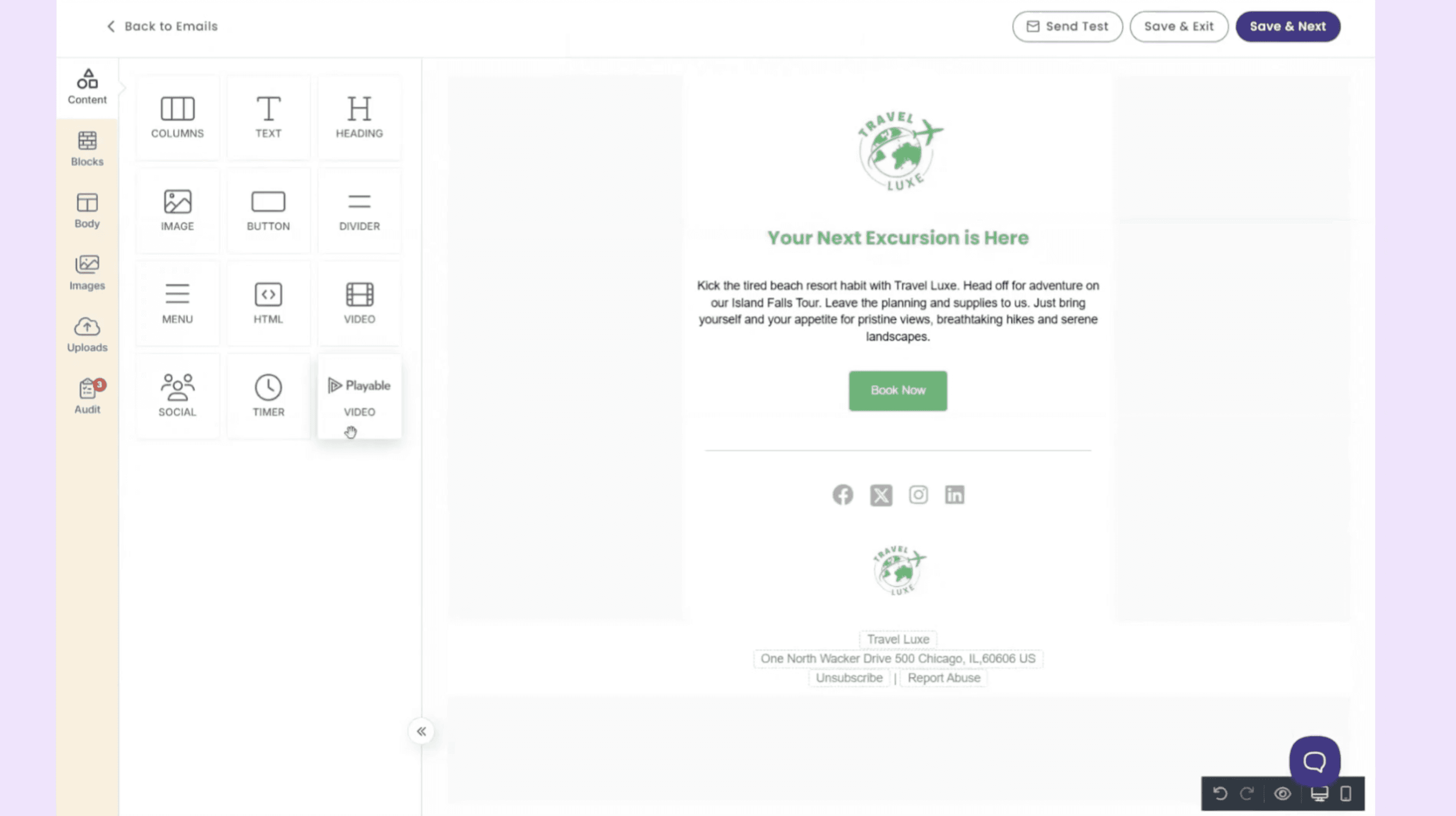
Turn any video into an optimized format that plays across inboxes and devices with the Playable Video block, built into the Benchmark email builder.

Deliver a high-quality video experience in the inbox

Playable delivers the best possible video format for each email client and device, ensuring recipients receive a smooth, high-quality playback experience.

Track how video improves engagement

Playable provides clear insight into how recipients interact with video content, including playback and engagement signals.

Repurpose your social videos for email

Launch video campaigns quickly

Repurposing existing social video for email helps bridge these channels, extending the value of content that is already proven.

Getting Started.

Step-by-Step Guide.

01.
Upload

Upload a video to the Playable console.

01.
Upload

Upload a video to the Playable console.

02.
Log in

Log in to your Benchmark Email account.

02.
Log in

Log in to your Benchmark Email account.

02.
Log in

Log in to your Benchmark Email account.

03.
Open

Open email and drag-and-drop a Playable video block

03.
Open

Open email and drag-and-drop a Playable video block

03.
Open

Open email and drag-and-drop a Playable video block

04.
Choose

Choose the video you want to appear in your email.

04.
Choose

Choose the video you want to appear in your email.

04.
Choose

Choose the video you want to appear in your email.

05.
Instant-play

Video plays instantly for email and devices.

05.
Instant-play

Video plays instantly for email and devices.

05.
Instant-play

Video plays instantly for email and devices.